Category: Tech

  • Who monitors the monitors?

    Who monitors the monitors?

    I like GNOME.
    I went through an inconsiderate lapse of my life where I’d been using KDE, but then I recovered.

    There are — actually more than — a few things where KDE outperforms GNOME, however.
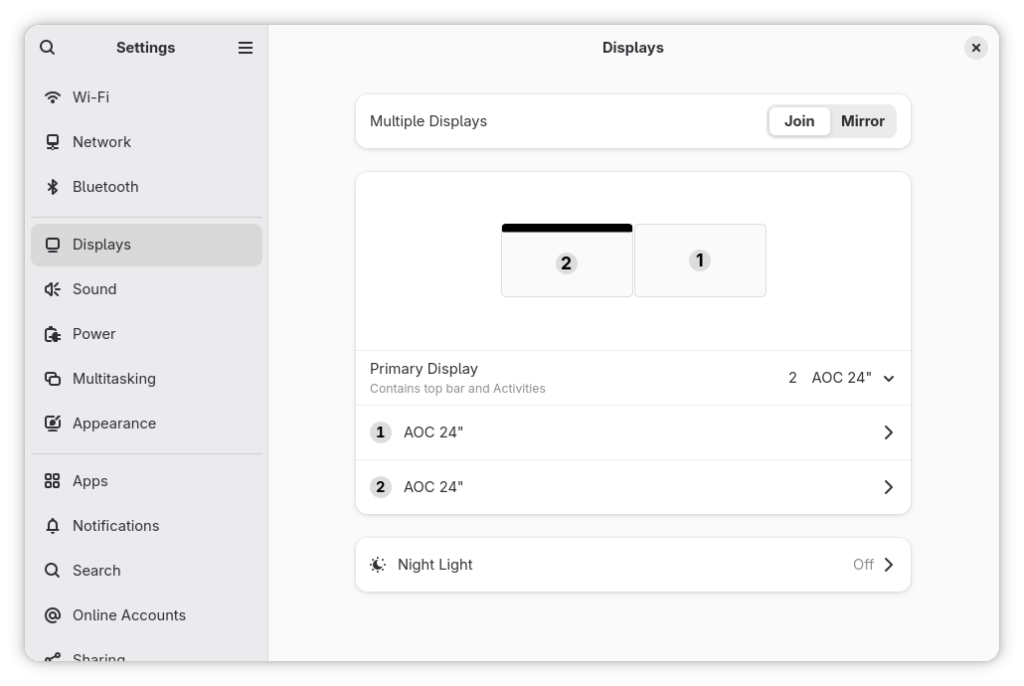
    One is the configuration of displays.

    Order! Order!

    John Bercow‘s most well-known bellow wasn’t sure about putting displays in order.
    Mine is.

    Display Order

    When one reorders displays in GNOME settings, one would like this change to be reflected in the login screen. Right?

    One’s a dreamer!
    What happens in the GNOME club stays in the GNOME club.

    The solution

    Apart from the fact that the obvious solution should be a switch “Extend the configuration to the Display Manager session” available to Administrators (aka users in the wheel group), the non-obvious solution:

    $ sudo mkdir ~gdm/.config
    $ sudo chown gdm:gdm ~gdm/.config/
    $ sudo cp .config/monitors.xml ~gdm/.config/
    $ sudo chown gdm:gdm ~gdm/.config/monitors.xml
    $ sudo restorecon /var/lib/gdm/.config/monitors.xml

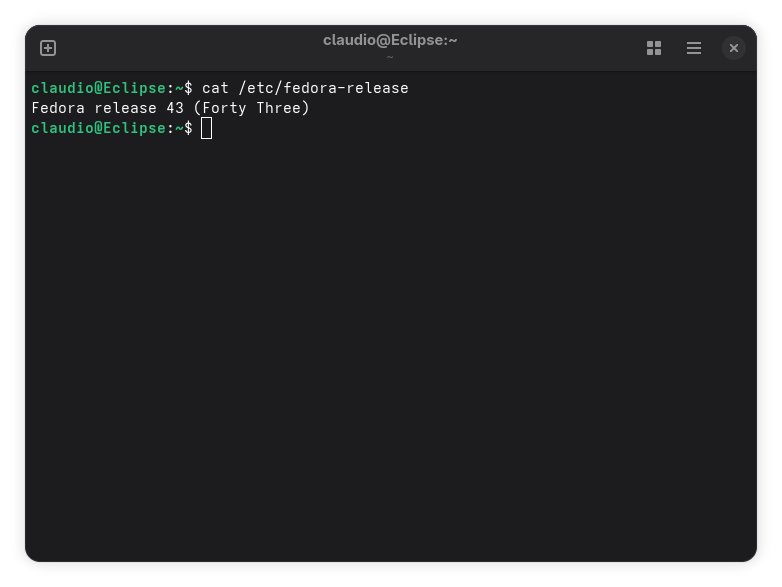
    does not work on Fedora 43.

    I don’t know, but probably because Fedora 43 now ships a Wayland-only GNOME session, the monitors.xml file must be put in the /etc/xdg directory instead:

    $ sudo cp -f ~/.config/monitors.xml /etc/xdg
    $ sudo restorecon /etc/xdg/monitors.xml

    I also guess that putting the monitors.xml there might supersede user’s configuration, but I’m not sure. Maybe I’ll do some tests.
    More likely it will just sit there as a fallback configuration.

    This solves the issue without forcing you to disconnect and reconnect video cables — something I am much too lazy to do!

  • Oh no! Linux has nuked Windows!

    Oh no! Linux has nuked Windows!

    Just joking. Linux is very respectful and wouldn’t do anything like that.

    What has actually happened is that the default selection in GRUB is Fedora and so, if I’m not quick enough at fiddling with the arrow keys, Fedora gets booted instead of Windows (which I’d like to be my default).

    Was I lucky enough to still have Windows?

    It’s been a long time since I made a Fedora installation on a PC with two drives, and I was expecting Anaconda to ask me where the bootloader should have been installed.

    Guess? Well, it didn’t.

    I still am not sure if I’ve been lucky, or if Anaconda was mindful enough to install the bootloader on the drive with Fedora, leaving the Windows drive untouched.

    I would have appreciated some kind of notification, or warning, or a chance to change and make the final decision.
    Also, I would have appreciated the possibility to choose the default entry in the menu.

    Guess it will be a feature request for some future release.

    What do I do now?

    Apart from what I would have liked and never was, I want to change the default to Windows, so I can just push the button in the morning and leave for a nourishing breakfast, and then find Windows ready for me to work on it for a handful of extremely pleasant productive hours (sarcasm intended).

    A thing I wish there was in Fedora is a GUI for messing around with the bootloader. At least for tampering with the most frequent changes like the timeout, the default entry, and the kernel arguments.

    But, no! You have to do it the command-line way.

    My system uses UEFI, so if one wants to replicate this, just make sure one is also on UEFI. This is not a tutorial, but it’s just a reminder for my future self of what I did.

    So, that’s what I did!

    Given I’m a reckless person who does not want to be sudo-ing all the time in one single session, I typed:

    $ sudo -i

    Unsafe? Sue me, sudoers!

    Then, I checked what entries and what indexes there were on my systems:

    # grubby --info=ALL
    index=0
    ...
    title="Fedora Linux (6.18.5-200.fc43.x86_64) 43"
    ...
    index=1
    ...
    title="Fedora Linux (6.18.4-200.fc43.x86_64) 43"
    ...
    index=2
    ...
    title="Fedora Linux (6.18.3-200.fc43.x86_64) 43"
    ...
    index=3
    ...
    title="Fedora Linux Rescue"

    Where’s my Windows chainloader (I don’t know what it is, I just know the name and I’m bragging) entry?
    Turns out that grubby — which is the official method in Fedora for tampering with the bootloader — does not manage Windows: os-prober does (what even is os-prober?).

    So, a set of grub2 command is required.

    First thing, I need to know the exact name of the menu entry:

    # grep -E "submenu|^\s*menuentry" /boot/grub2/grub.cfg
      menuentry_id_option="--id"
      menuentry_id_option=""
      menuentry 'Windows Boot Manager (on /dev/nvme0n1p1)' --class windows --class os $menuentry_id_option 'osprober-efi-8830-5645' {
      menuentry 'UEFI Firmware Settings' $menuentry_id_option 'uefi-firmware' {

    The text I need is the bold one: ‘Windows Boot Manager (on /dev/nvme0n1p1)’.
    Again, if one is trying to do the same, note that the device name will almost certainly be different.

    Then, I need to change the default entry:

    # grub2-set-default 'Windows Boot Manager (on /dev/nvme0n1p1)'

    Check that everything has gone smoothly:

    # grub2-editenv list
    saved_entry=Windows Boot Manager (on /dev/nvme0n1p1)
    menu_auto_hide=1
    boot_success=0
    boot_indeterminate=2

    One reboot later…

    After a proper Windows boot and once checked that everything was fine, it’s time to make the change permanent!

    Yeah, that was not permanent.
    With the

    GRUB_DEFAULT=saved

    set in /etc/default/grub.cfg, the boot item defaults back to the latest Linux kernel after every installation of a new kernel (and in Fedora it happens frequently!).

    So I edited the /etc/default/grub.cfg and changed

    GRUB_DEFAULT='Windows Boot Manager (on /dev/nvme0n1p1)'

    I also made sure there was no line

    GRUB_SAVEDEFAULT=true

    If it’s there, either delete the line or set it to

    GRUB_SAVEDEFAULT=false

    This should ensure that no new Linux kernel is set as the default menu entry in the future.

    As the final step, I had the configuration file regenerated to have the new settings baked in (yes! this sentence sounds mysterious to you as it is to me).

    # grub2-mkconfig -o /boot/grub2/grub.cfg 
    Generating grub configuration file ...
    Found Windows Boot Manager on /dev/nvme0n1p1@/efi/Microsoft/Boot/bootmgfw.efi
    Adding boot menu entry for UEFI Firmware Settings ...
    done

    A couple of reboots later…

    Everything seems fine, and Windows is back on top of Linux — right where it belongs.
    Ok, sorry! I might have gone too far with this last sentence.

  • I’ve gone Linux!

    I’ve gone Linux!

    Let’s round the corners up a bit.
    It’s not that I’ve abandoned Windows and gone full Linux.
    I’m also no Linux newbie. The first Linux distribution I ever ran was Red Hat Linux — long before it became RHEL — on a glorious Pentium PC back in 1996. Since then, I’ve entertained myself with Mandrake Linux, SUSE Linux, Gentoo, Ubuntu — with the constant presence of Fedora, which I’ve used since Core 1.

    I recently built a new PC with a smaller drive for the OS and a gigantic one for amenities. However, Windows 11 — which I use for work — doesn’t like sharing space with exotic operating systems. So, at first, I only installed Microsoft’s latest spyware bloatware operating system.
    The motherboard has three NVMe slots though, and I managed to track down a 2 TB drive that escaped this crazy price hikes of late 2025.

    The drive is a Crucial P3 Plus SSD 2TB PCIe Gen4 CT2000P3PSSD8.
    It has a quite low endurance of 440 TBW — unlike the regular 1200 TBW of the Lexar NQ790 2 TB hosting Windows. As Linux won’t be my primary OS, I took the bait, and now all of the three NVMe slots are taken.

    The installation

    The process, from preparing the USB installation media via the Fedora Media Writer, to the actual installation on the drive was simple and straightforward. Not that I was expecting it to be twisted and stressful: the Anaconda installer is known to be well crafted.

    The configuration

    I was horrified by the post-install configuration instead, when the tool just became fully unresponsive while selecting the time zone.

    Apparently, this is a long-standing bug, already there in Fedora 42.
    As I’ve been mostly upgrading from the command line via dnf in the past without an issue, I wasn’t expecting a bug requiring to force-reset the PC with the power button.

    To circumvent the issue, some users suggested selecting the time zone area directly on the map, without even looking at the textual search field — which was pointed to as the culprit — while others suggested tampering with the boot line and blacklisting the nouveau driver for NVIDIA cards — as this is said not to properly manage the interaction with that search box.

    As I’m not particularly scared of modifying a boot command in grub, I did both.
    In case someone wants to replicate, right at the boot, that’s what I did:

    • I selected the first line at the top of the boot list, the one reading Fedora Linux (… long string identifying the kernel version …),
    • I pressed the key e to edit the boot line,
    • I deleted the rhgb quiet part, and typed
    rd.driver.blacklist=nouveau modprobe.blacklist=nouveau nomodeset
    • I booted by pressing F10.

    The UI will sucks, as you won’t have a graphic driver loaded and nomodeset forces to use one of the guaranteed-to-work default video resolutions (likely 640 x 480 or 800 x 600).
    In my case, I’ve been able to get past the initial configuration step.
    As the tampering is temporary, I didn’t have to revert anything back to as-it-was at the next boot.

    What’s next?

    Right now I’m using Fedora.

    I have to say: it works like a charm!

    I’ll be customizing my Fedora installation over the next days, and I’ll be tracking my tinkering here, just to remember what I’ve tinkered with.

  • New Build

    New Build

    December is always a month full of work. I guess it’s like that for everyone, regardless of one’s job. Everyone wants to get everything finished so they can enjoy Christmas!
    So I’ve been sitting at my ten-year-old PC for a fortnight working like crazy and not writing anything here.

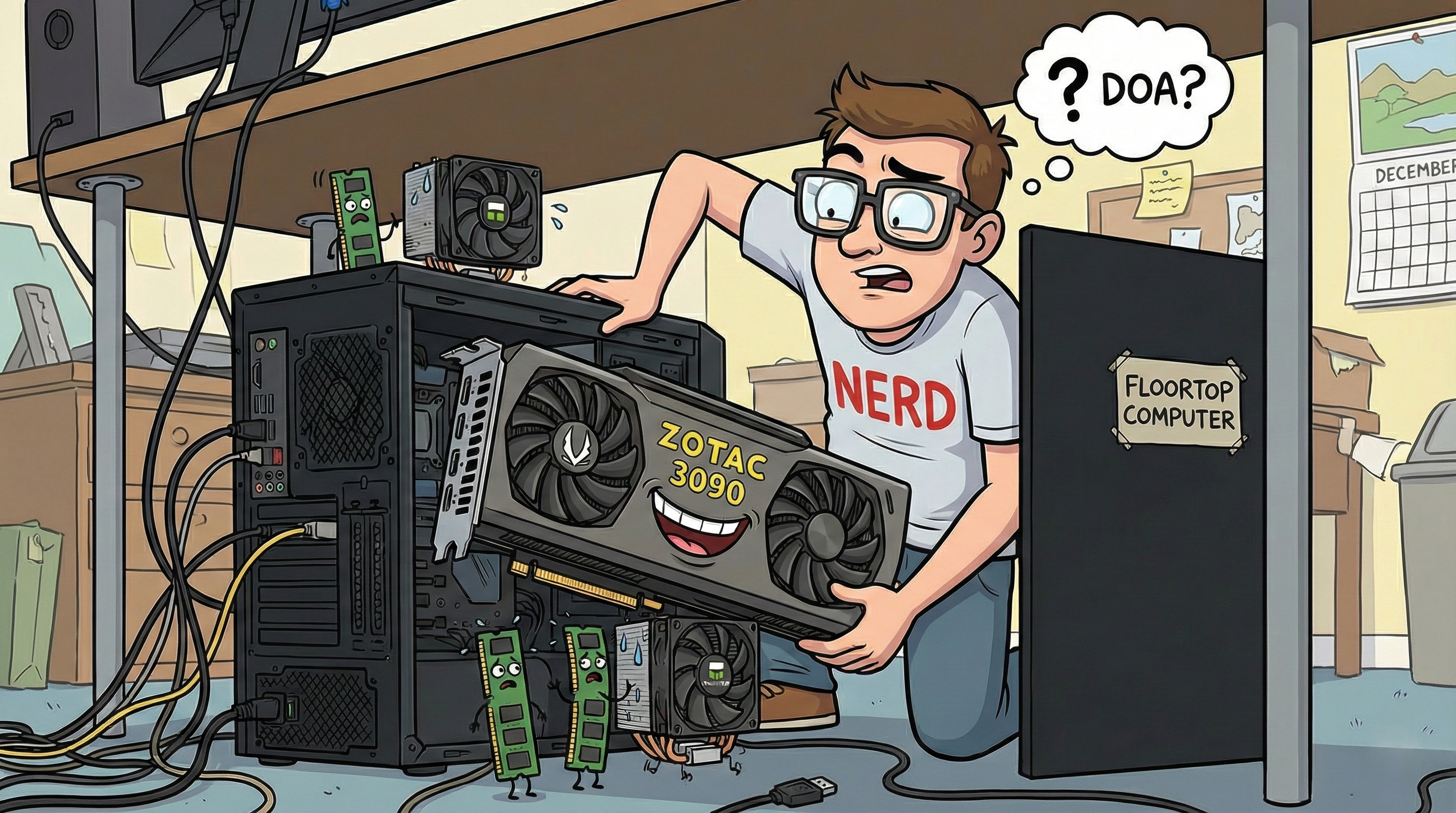
    Speaking of my old desktop computer (which sits, by the way, under my desk on the floor – so it would be best called a floortop computer), it was not in its best shape already, and the phasing out of Windows 10 has accelerated its demise.

    The various parts of my soon-to-be PC had been getting familiar with my small office for a couple of months, probably wondering if they would ever be fed by a fresh stream of electricity at some point. So I decided to find some time to assemble them into a full-grown floortop computer.

    The last time I assembled a PC was nearly a decade ago, and the previous machine was pretty humble and modest. This new one, however, is kind of a beast, and I found myself wondering where the ever-growing number of connectors should go. On top of that, the motherboard I bought in the first place was DOA, and I spent a considerable amount of time investigating whether the MoBo, the RAM or the CPU was the culprit.

    By the way, I guess everyone knows that a MoBo is not a person living in a mobile home, as opposed to a hobo who lives in the street. But, DOA? Dead On Arrival? Really? I had to Google it to find out, and now I can say I’m rightfully a nerd.

    What about the build?

    Ah, right! The build. Here’s my new floortop computer.

    • CPU: AMD Ryzen 9 7900X with 12 cores / 24 threads – whatever a thread is,
    • MoBo: Asus TUF Gaming B850M-Plus WiFi – that has replaced a dead MSI MAG B650M Mortar WiFi,
    • Cooler: Thermalright Frozen Edge 360 – whose pump head is now drowning in a pond of thermal paste Grizzly Duronaut (the very best I could buy according to both ChatGPT and Gemini),
    • RAM: Crucial Pro DDR5 64 GB kit 6000 MHz CL40 EXPO – bought right before Micron decided to kill Crucial and right before prices skyrocketed,
    • GPU: ZOTAC GeForce RTX 3090 with 24 GB of VRAM – bought second-hand,
    • Drives: a nice Lexar NQ790 2 TB for Windows 11, and a gigantic WD Black SN850X NVMe SSD 8 TB for my data – because storage is never enough,
    • PSU: Corsair RM750e ATX Modular Gold – but it’s not actually made of gold,
    • Fans: 3 ARCTIC P12 Pro – all black! No disco lighting for me!
    • Case: Asus Prime AP201 mATX – because I needed something not too huge to store all the stuff.

    The previous PC was a small all-black box, and its name was BlackBox.
    The new one is – again – black and I thought of calling it BlackBoxEvo at first. But in the end, I went for Eclipse.