
I like GNOME.
I went through an inconsiderate lapse of my life where I’d been using KDE, but then I recovered.
There are — actually more than — a few things where KDE outperforms GNOME, however.
One is the configuration of displays.
Order! Order!
John Bercow‘s most well-known bellow wasn’t sure about putting displays in order.
Mine is.
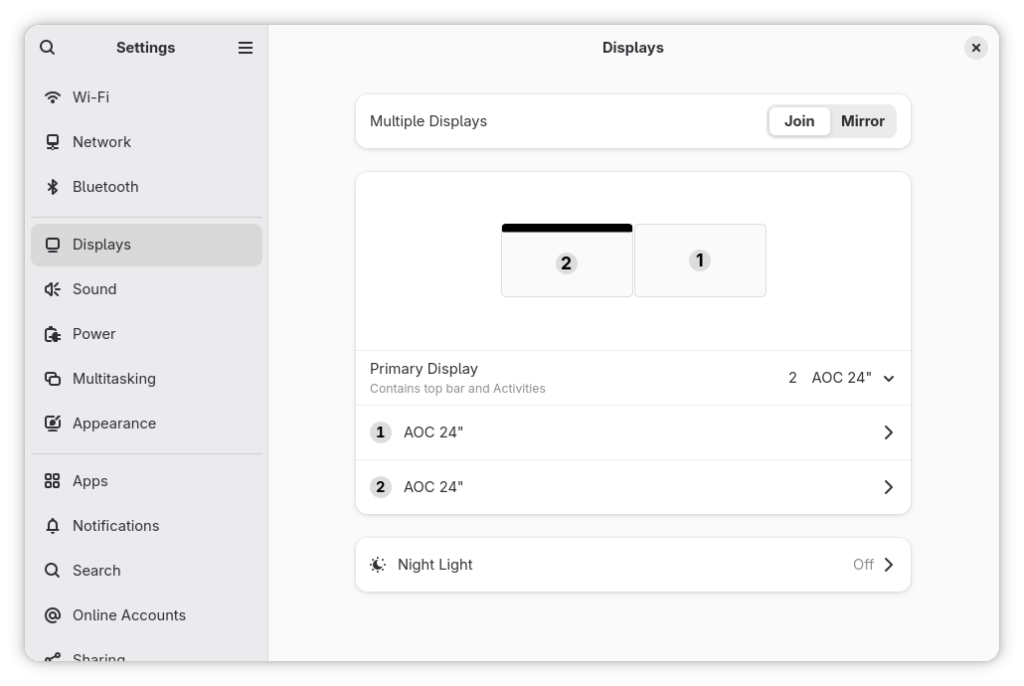
When one reorders displays in GNOME settings, one would like this change to be reflected in the login screen. Right?
One’s a dreamer!
What happens in the GNOME club stays in the GNOME club.
The solution
Apart from the fact that the obvious solution should be a switch “Extend the configuration to the Display Manager session” available to Administrators (aka users in the wheel group), the non-obvious solution:
$ sudo mkdir ~gdm/.config
$ sudo chown gdm:gdm ~gdm/.config/
$ sudo cp .config/monitors.xml ~gdm/.config/
$ sudo chown gdm:gdm ~gdm/.config/monitors.xml
$ sudo restorecon /var/lib/gdm/.config/monitors.xml
does not work on Fedora 43.
I don’t know, but probably because Fedora 43 now ships a Wayland-only GNOME session, the monitors.xml file must be put in the /etc/xdg directory instead:
$ sudo cp -f ~/.config/monitors.xml /etc/xdg
$ sudo restorecon /etc/xdg/monitors.xml
I also guess that putting the monitors.xml there might supersede user’s configuration, but I’m not sure. Maybe I’ll do some tests.
More likely it will just sit there as a fallback configuration.
This solves the issue without forcing you to disconnect and reconnect video cables — something I am much too lazy to do!